
Business Office Manager
This guide outlines how to manage senior living deliverables, reporting, adding new customers, meal plans, and people information. It provides instructions for tracking deliverables, generating essential reports, managing customer data, and maintaining meal plan details to ensure efficient operations.
Overview
SI 360 is a comprehensive Point of Sale (POS) solution designed to streamline the customer experience. It allows users to book seats, place orders, manage takeout, and process payments with ease. The system simplifies operations, making it ideal for efficient service in hospitality settings.
Managed by ServingIntel 360 Team
This Topic Includes:
People information
Meal Plan
New Customer
Senior Living Deliverables
Components of the SICC Homepage
Managed by ServingIntel Cloud Control Team
#strategic
Date Published: September 11, 2020
Date Updated: May 24, 2024
Version 2.0
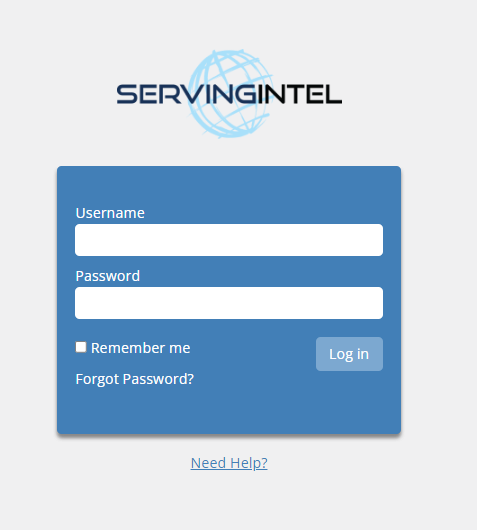
1. Visit the ServingIntel Cloud Control website, input your username and password, and proceed by clicking on the login button.
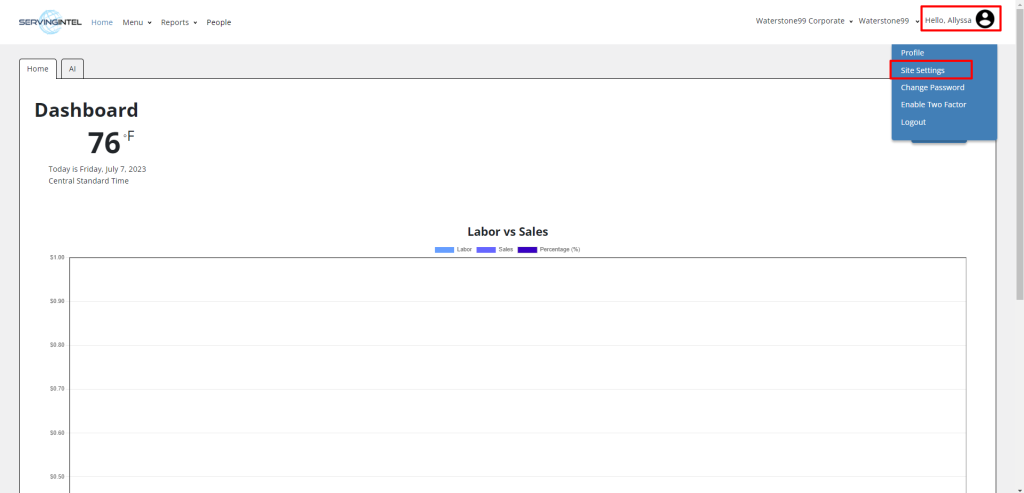
2. Go to the upper-right corner of the page, click on the user profile icon, and then select “Site Settings” to access additional configuration options.
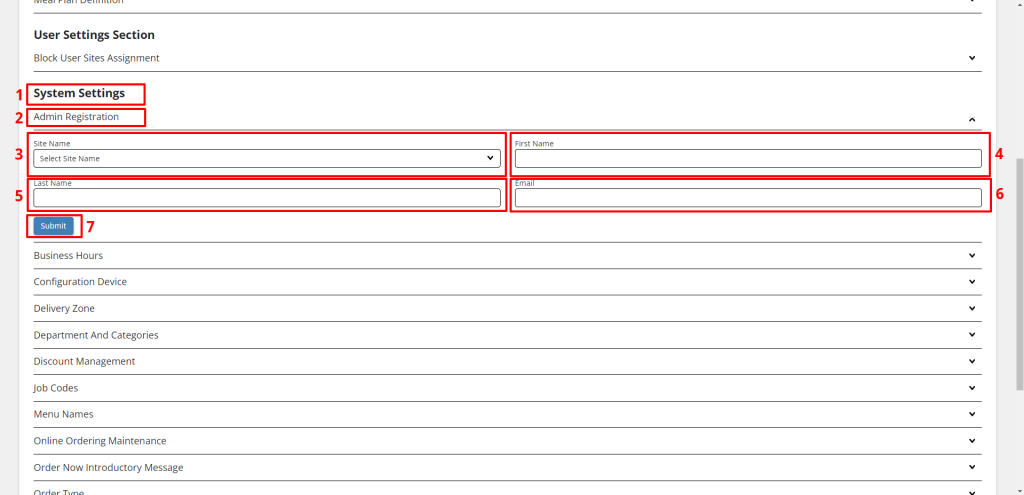
3. Scroll down until you reach the “System Settings” section, and then select “Admin Registration”.
4. Utilize the dropdown menu to choose the desired Site Name.
5. Provide the following details:
- First Name
- Last Name
Afterwards, click the “Submit” button.
6. Once you’ve completed the registration process, a confirmation message indicating success will be displayed.

Ready to Learn More?
See how our innovative dining solutions can help elevate the resident experience and improve operational efficiencies.