

Business Office Manager
This guide outlines how to manage senior living deliverables, reporting, adding new customers, meal plans, and people information. It provides instructions for tracking deliverables, generating essential reports, managing customer data, and maintaining meal plan details to ensure efficient operations.
Overview
SI 360 is a comprehensive Point of Sale (POS) solution designed to streamline the customer experience. It allows users to book seats, place orders, manage takeout, and process payments with ease. The system simplifies operations, making it ideal for efficient service in hospitality settings.
Managed by ServingIntel 360 Team
This Topic Includes:
People information
Meal Plan
New Customer
Senior Living Deliverables
Customer Account Statements
Managed by ServingIntel Cloud Control Team
#strategic
Date Published: July 18, 2024
Date Updated: June 26, 2025
Version: 2025.2.5
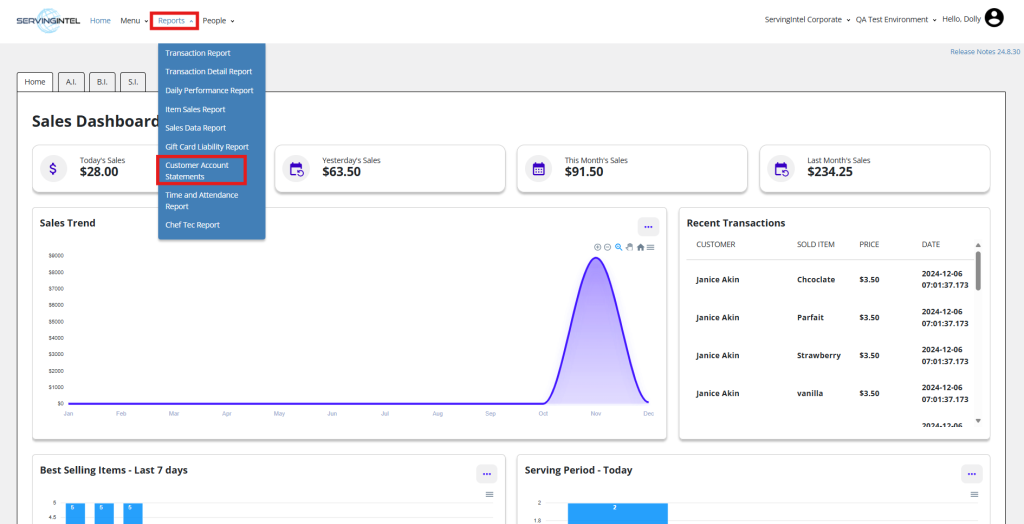
1. On the homepage, go to “Reports” and select “Customer Account Statements.”
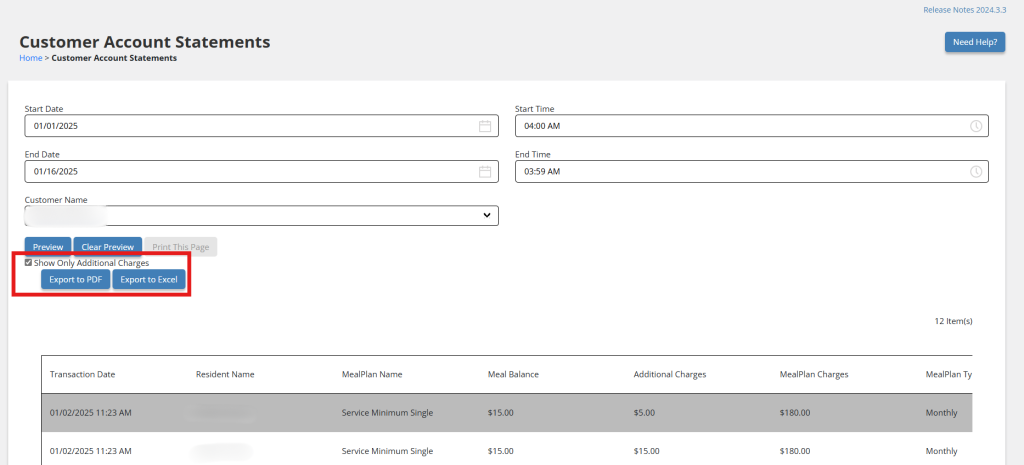
2. Enter the date range, start and end times, and the customer’s name.

3. Click “Preview” to generate the complete customer account statement.


4. You can print a copy by clicking “Print This Page.”

New Update: Customer Account Statement Filter
Version: 2025.1.1 introduces a new filter and export options under Reports > Customer Account Statement to enhance usability.
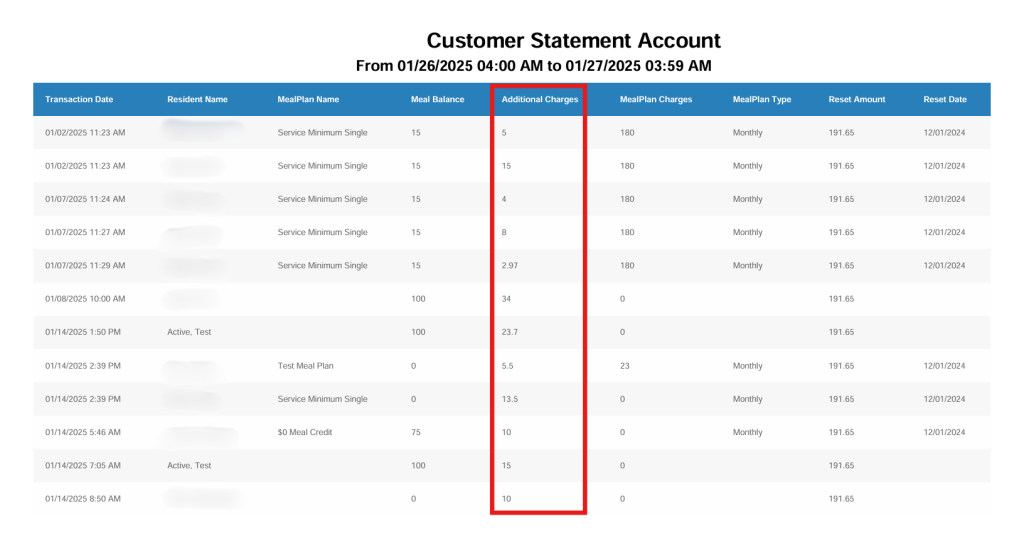
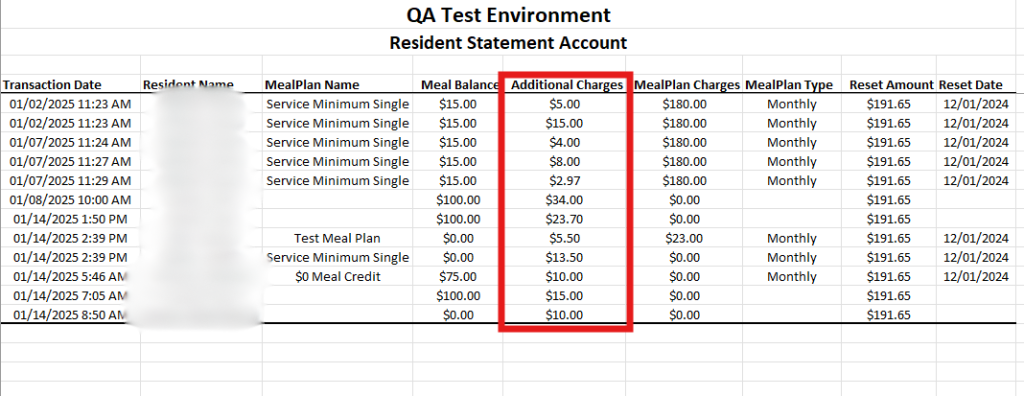
- Show Only Additional Charges: A filter that displays only additional charges applied to customer accounts for clearer reporting.
- Export to PDF: Generate a PDF version of the statement for easy sharing or offline access.
- Export to Excel: Create an Excel file of the statement for detailed analysis and customization.
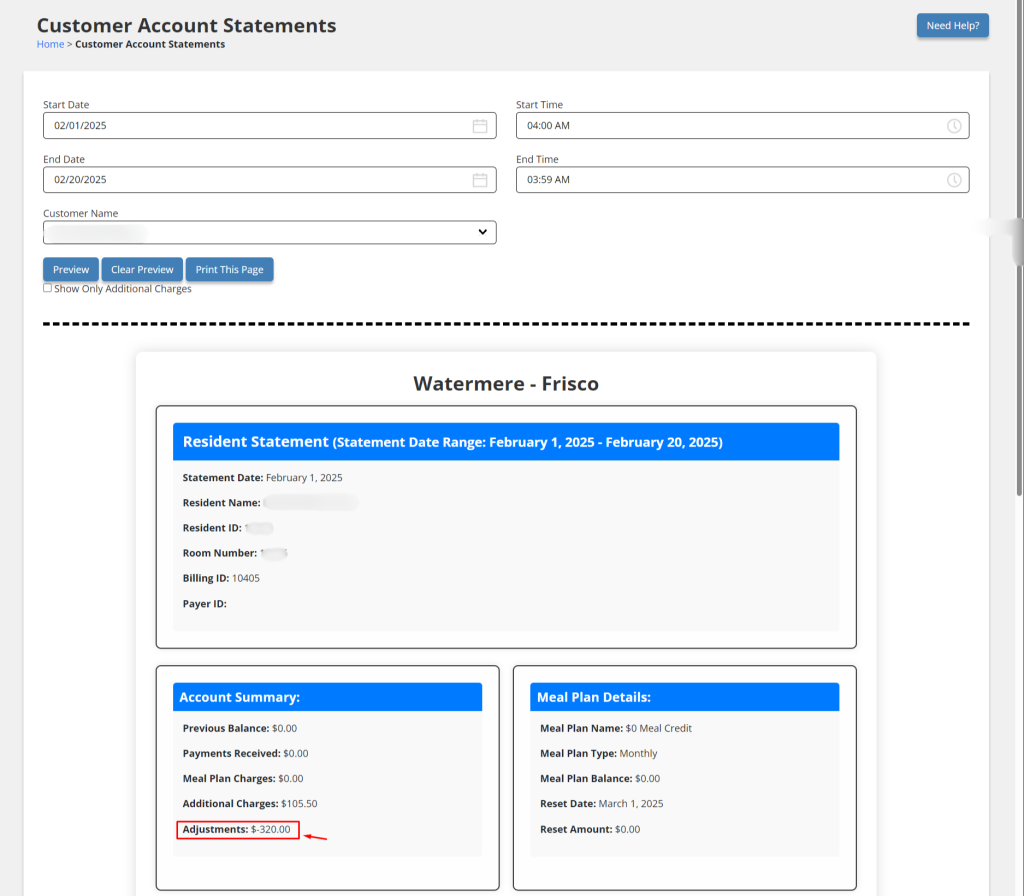
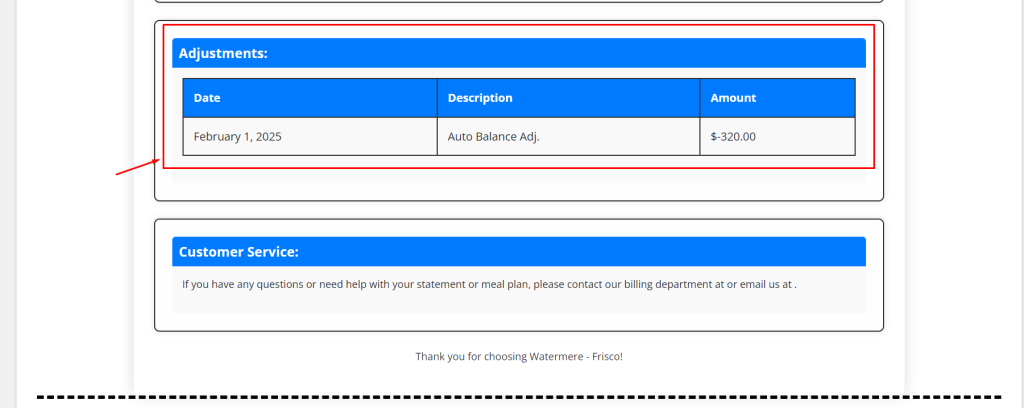
New Feature (Version: 2025.1.3): Manual Adjustment for Customer Account Statement
The manual adjustment for Customer Account Statement feature is now available. A new “Adjustments” section shows all balance adjustments for the chosen customer. Account Summary now reflects the total adjustments, and manual balance adjustments are displayed on the Transaction Activity page.
Enhancement (Version 2025.2.4): Customer Account Report
This update brings multiple improvements to the Customer Account Report for a more streamlined and informative experience.
- Printed form has been enhanced for better clarity.
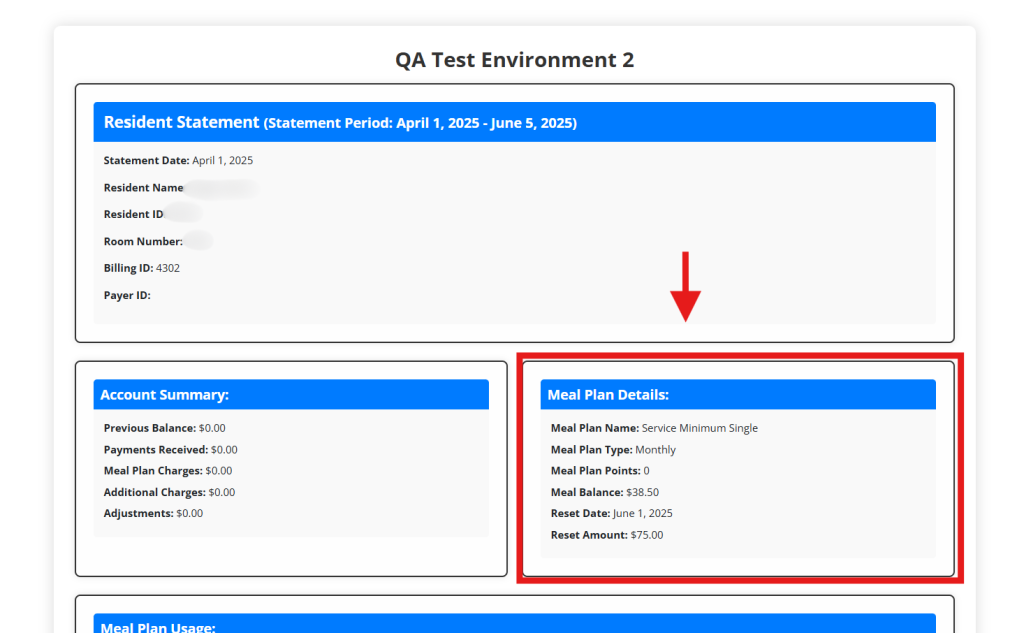
- Meal Count now appears under Meal Plan Details.
- The “Show only Additional Charges” option has been removed.
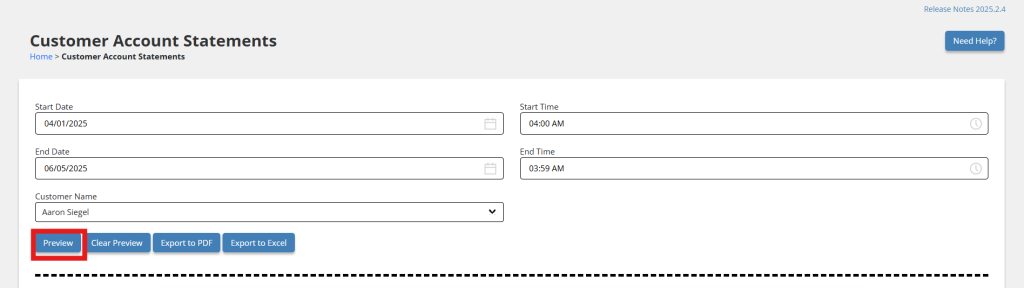
- Export to PDF and Export to Excel buttons are now available at the top of the Main Grid View.

Ready to Learn More?
See how our innovative dining solutions can help elevate the resident experience and improve operational efficiencies.