
Dining Team Management
This guide outlines how to manage items, modifiers, and people information, including updating availability and syncing with eCommerce. It also covers generating essential reports like daily performance and item sales.
Overview
SI 360 is a comprehensive Point of Sale (POS) solution designed to streamline the customer experience. It allows users to book seats, place orders, manage takeout, and process payments with ease. The system simplifies operations, making it ideal for efficient service in hospitality settings.
Managed by ServingIntel 360 Team
This Topic Includes:
Managing Items in SICC
- Adding Items
- Deleting Items
- Updating Item Availability
- Updating Item Attributes
- Setting Up Item Scheduling
- Updating Web Item Names
- Updating Items from SICC to eCommerce
- Enabling/Disabling Items from SICC to Hospitality Site
- Displaying “Available/Not Available” Items from SICC to Hospitality Site
- Sorting Items on the eCommerce Site from SICC
- Adding Inscriptions for Items
Building and Managing Modifiers
ServingIntel Cloud Control Reporting
ServingIntel People Management
Attaching Modifiers
Managed by ServingIntel 360 Team
#strategic
Date Published: September 11, 2020
Date Updated: May 30, 2024
Version: 2.0
1. Go to Menu > Menu Item Information.
2. Locate the modifier group or parent item where you want the modifiers attached and click the “Edit” button.

3. Navigate to the Modifier tab.
4. From the information dropdown list, choose the modifier and click “Add Modifier.”
Scenarios for attaching modifiers:
- Adding Modifier to Modifier group
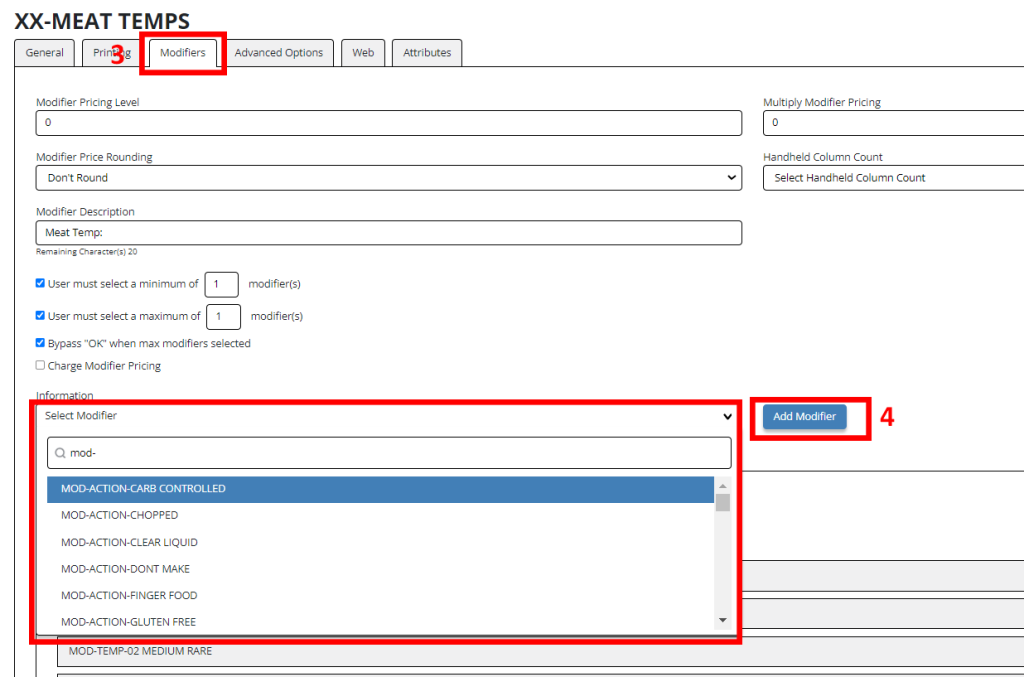
- Adding Modifier to Parent Item
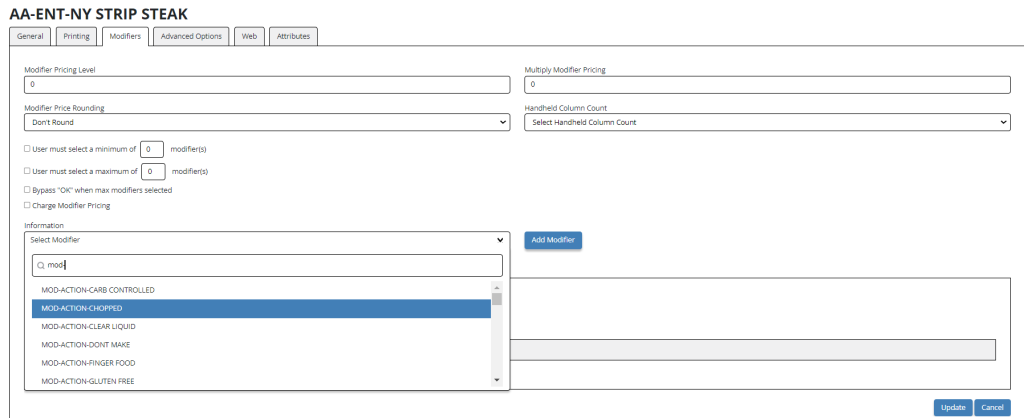
- Adding Modifier Group to Parent Item
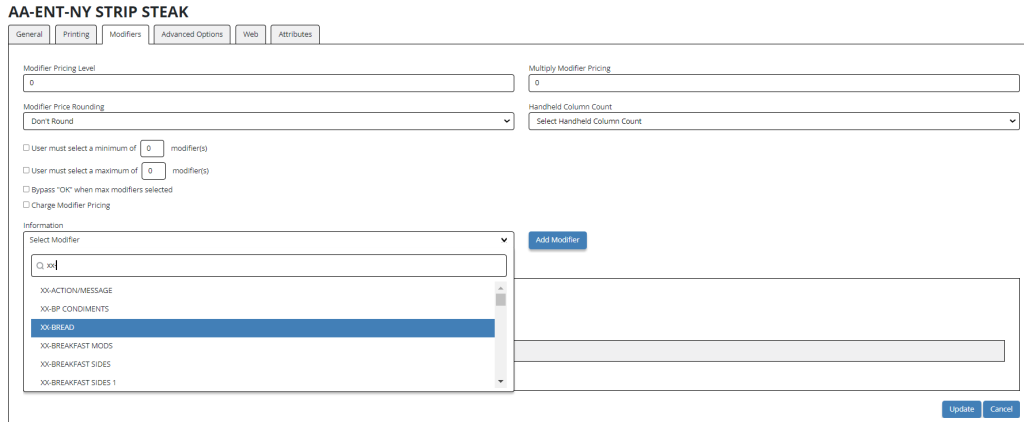
5. Do the process for the POS Modifier groups tab or the Web Modifiers groups tab, as applicable, and then click “Update”.

Ready to Learn More?
See how our innovative dining solutions can help elevate the resident experience and improve operational efficiencies.