

Senior Living eCommerce
This guide will show how to use the Senior Living eCommerce platform.
Overview
ServingIntel Senior Living eCommerce is an easy-to-use platform for selling products and provide a flexible solution and convenience for residents. Senior Living eCommerce is designed for residents who wants to have their order delivered or pick-up.
Managed by ServingIntel Web Team
This Topic Includes:
Current Balance & Transaction History
Checkout Items
#strategic
Managed by Content Integration Team
Date Published: September 11, 2020
Date Updated: September 19, 2025
Version: 2.0
1. In the top-right corner of the page, click the cart icon to access the Order Summary.
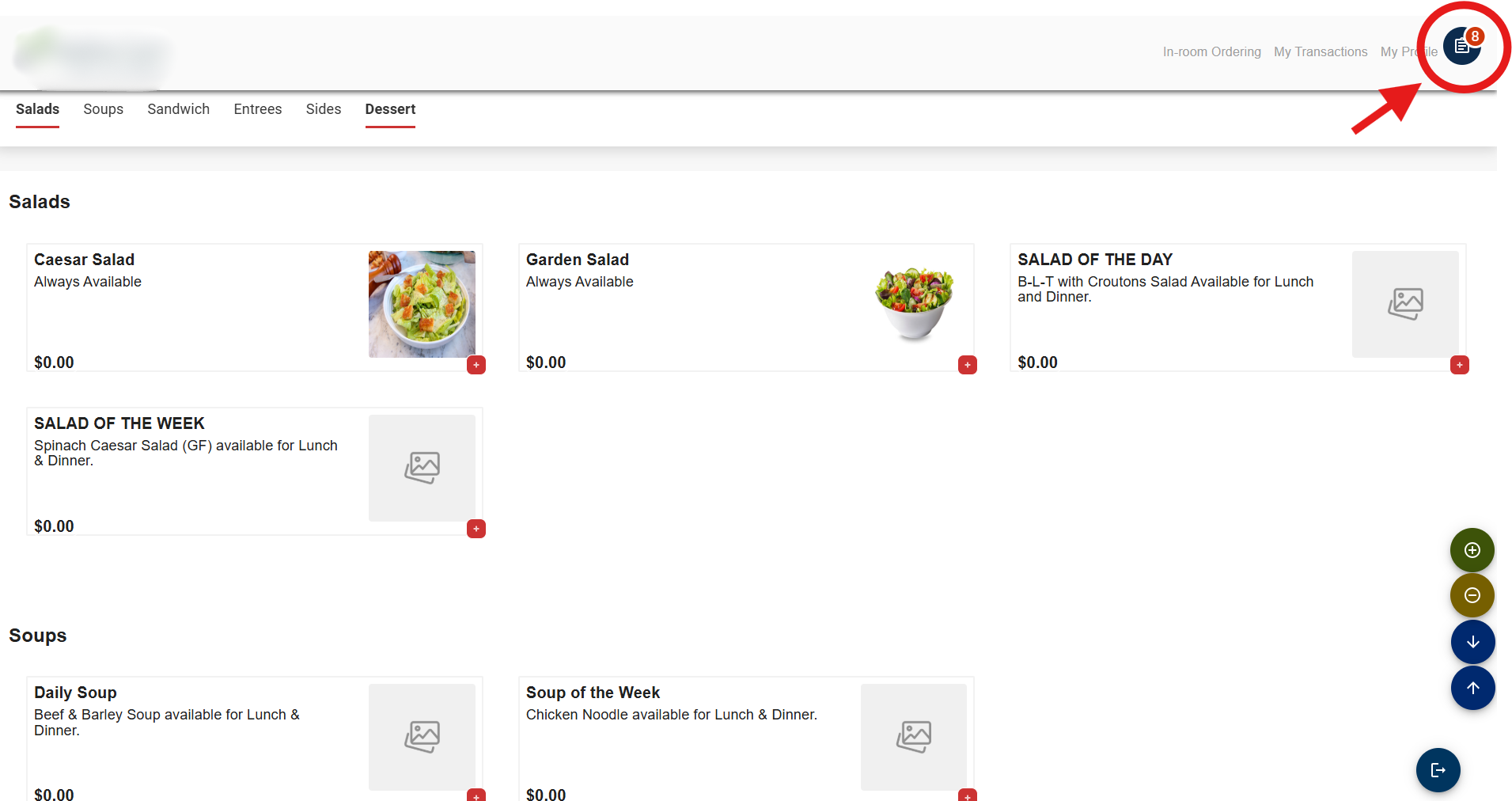
2. Proceed by clicking the Checkout button.
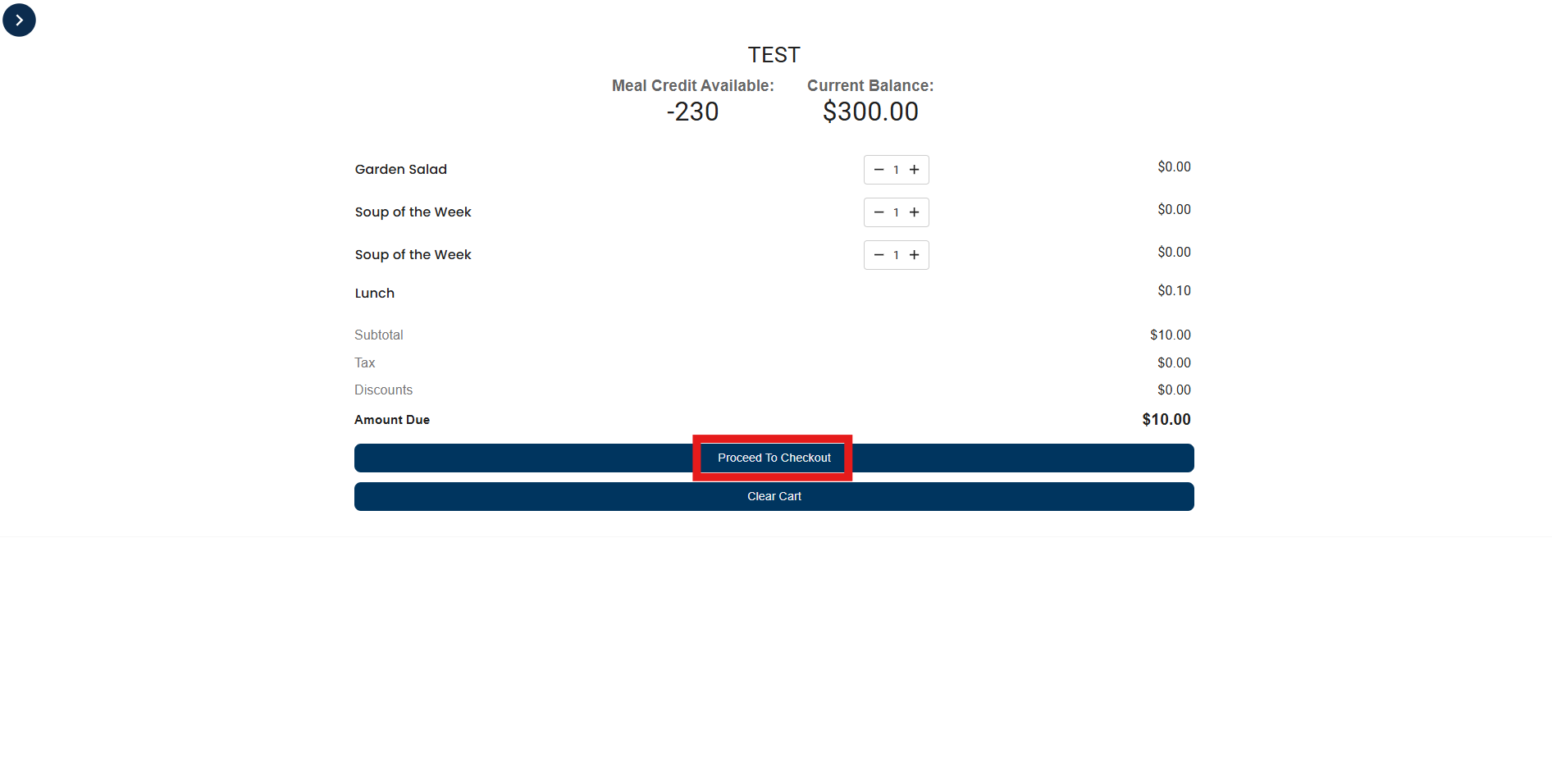
3. You’ll be redirected to the Order Summary page.
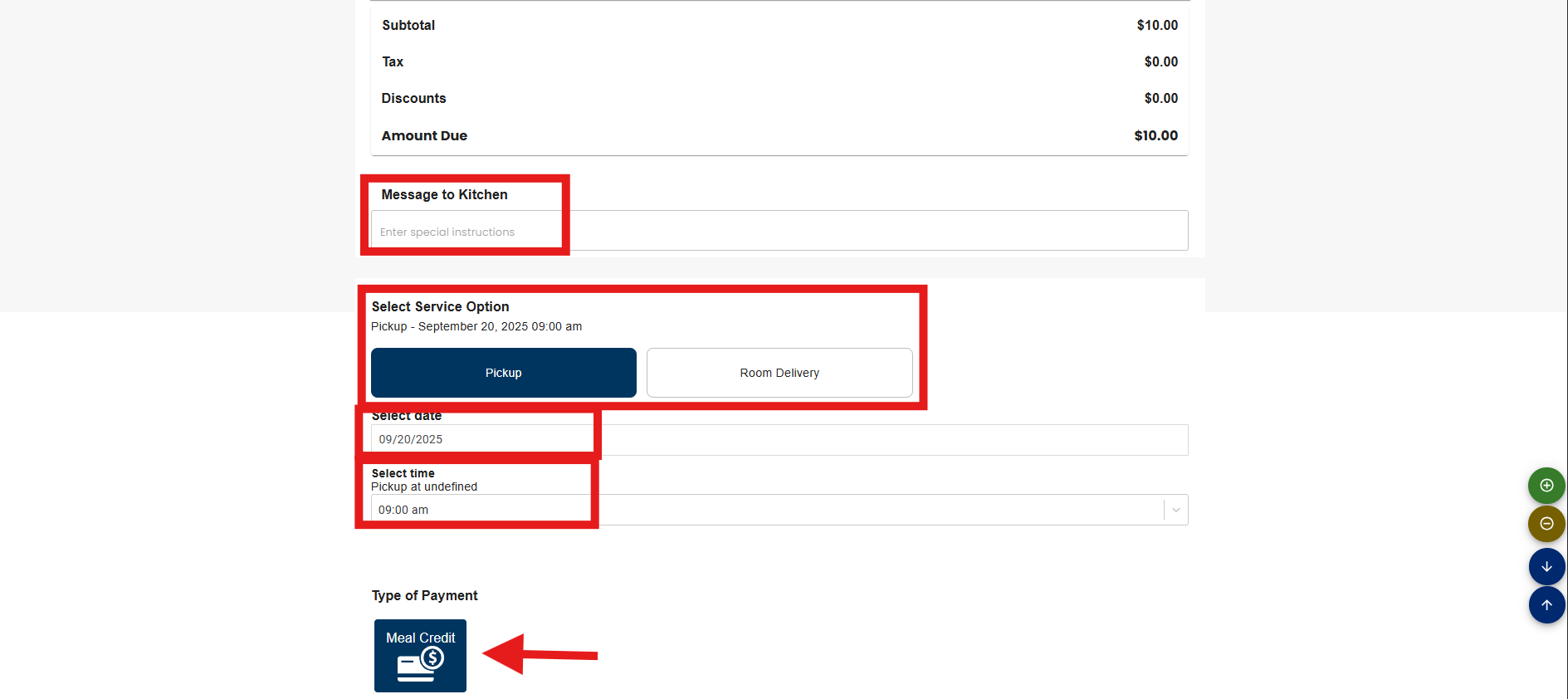
4. Fill out or select the required order details:
- Optional message to the Kitchen
- Pickup or Room Delivery
- Choose Pickup or Room Delivery Date
- Specify Pickup or Room Delivery Time
- Select Payment Method
5. Once the order details and payment are confirmed, the Order Details will be shown. Click the “Submit Order” button to proceed.
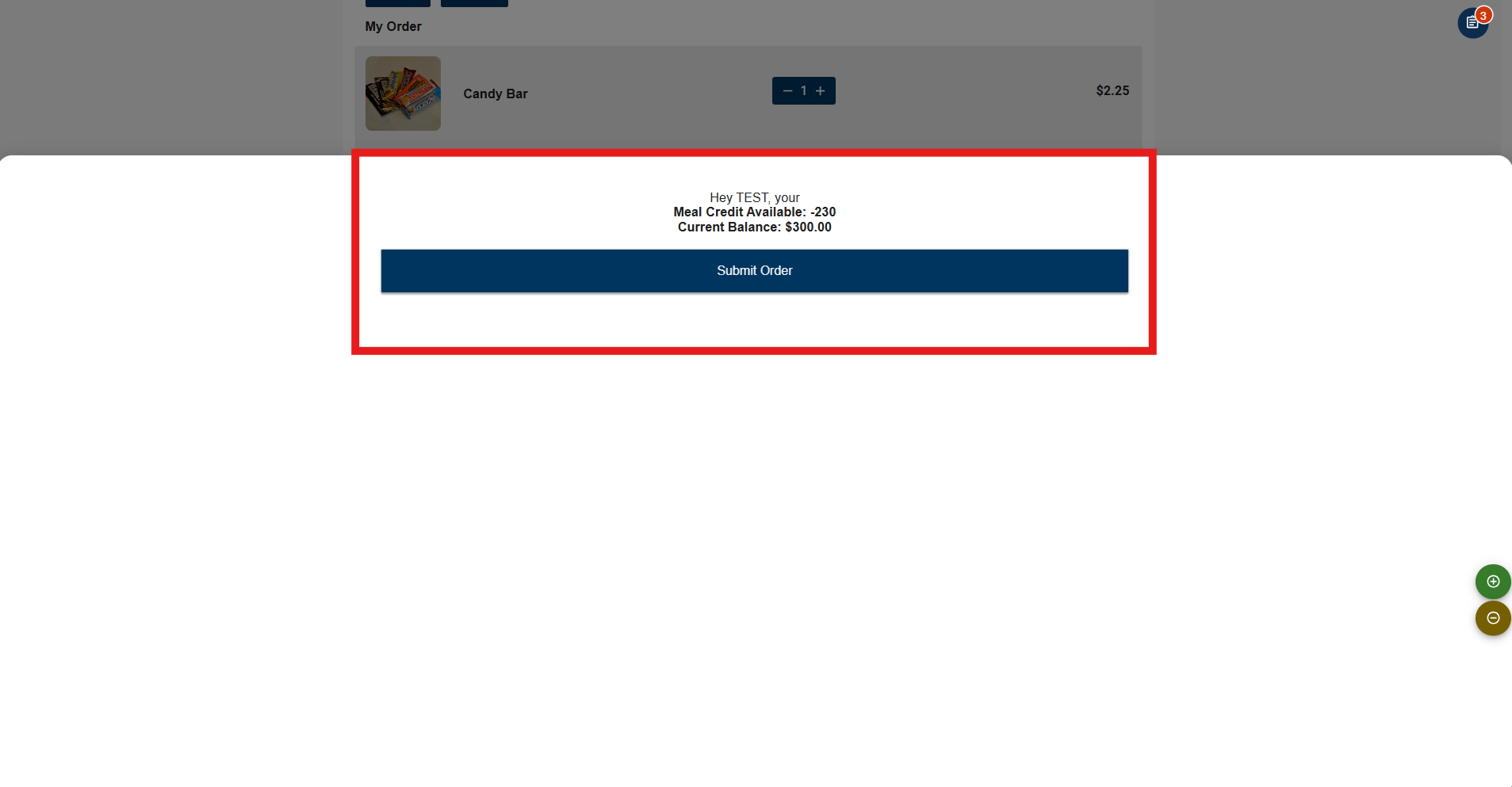
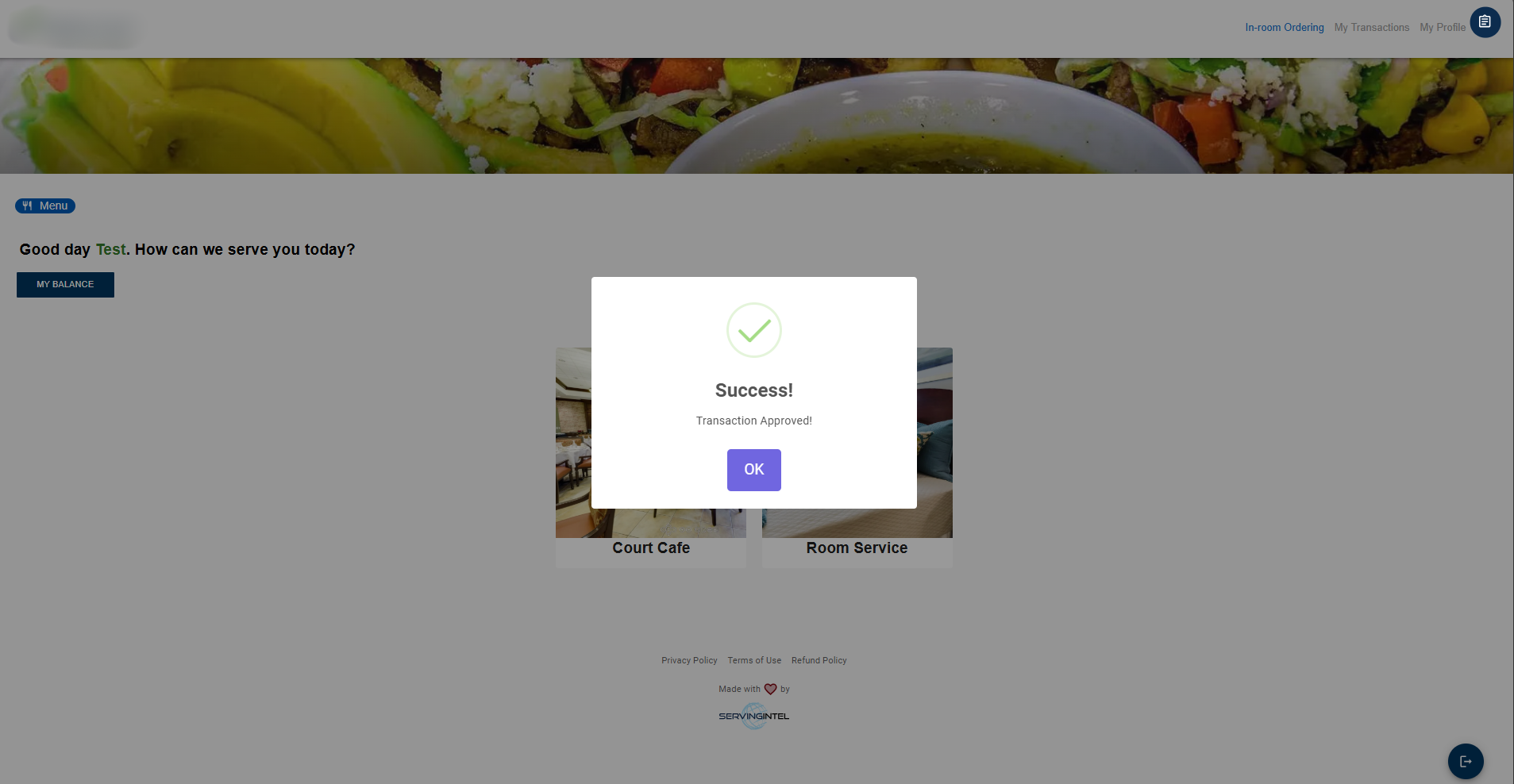
6. A confirmation message will appear to confirm the completion of the order. Click the OK button to proceed further.

Ready to Learn More?
See how our innovative dining solutions can help elevate the resident experience and improve operational efficiencies.