

Senior Living eCommerce
This guide will show how to use the Senior Living eCommerce platform.
Overview
ServingIntel Senior Living eCommerce is an easy-to-use platform for selling products and provide a flexible solution and convenience for residents. Senior Living eCommerce is designed for residents who wants to have their order delivered or pick-up.
Managed by ServingIntel Web Team
This Topic Includes:
Current Balance & Transaction History
Change Item Quantity from Order Summary
#strategic
Managed by Content Integration Team
Date Published: September 11, 2020
Date Updated: September 19, 2025
Version: 2.0
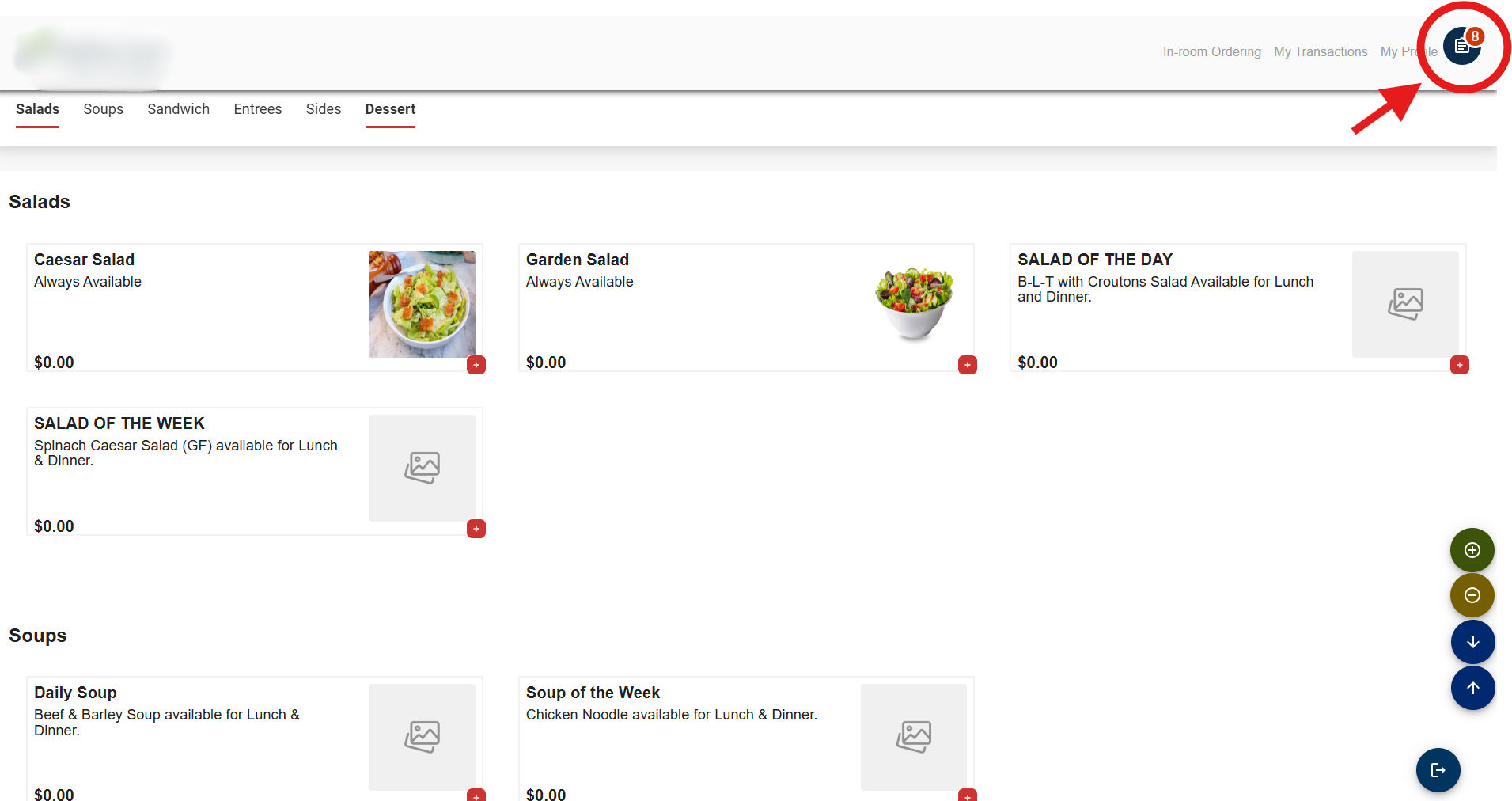
1. In the top-right corner of the page, select the Cart icon to access the Order Summary.
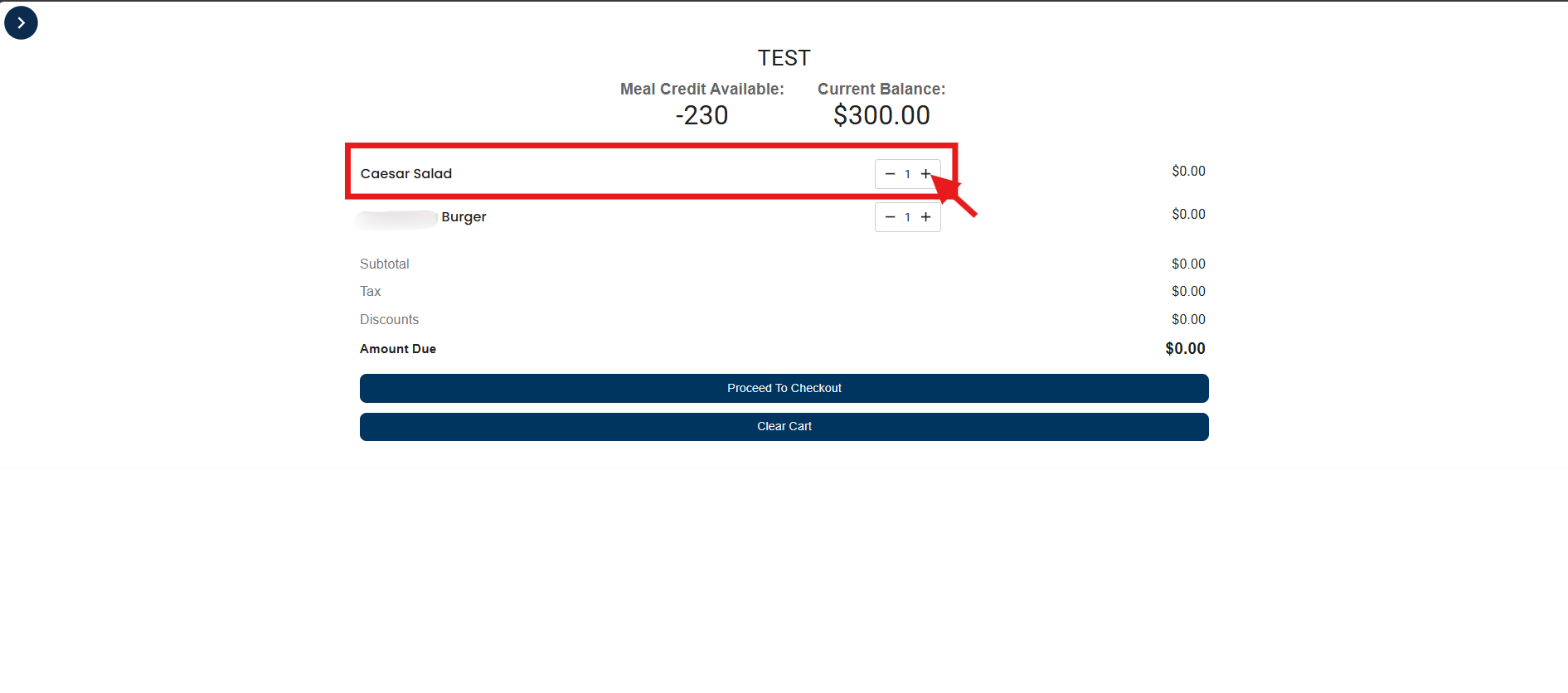
2. Choose the item you want to adjust the quantity for. Click the (+) icon to add more quantity.
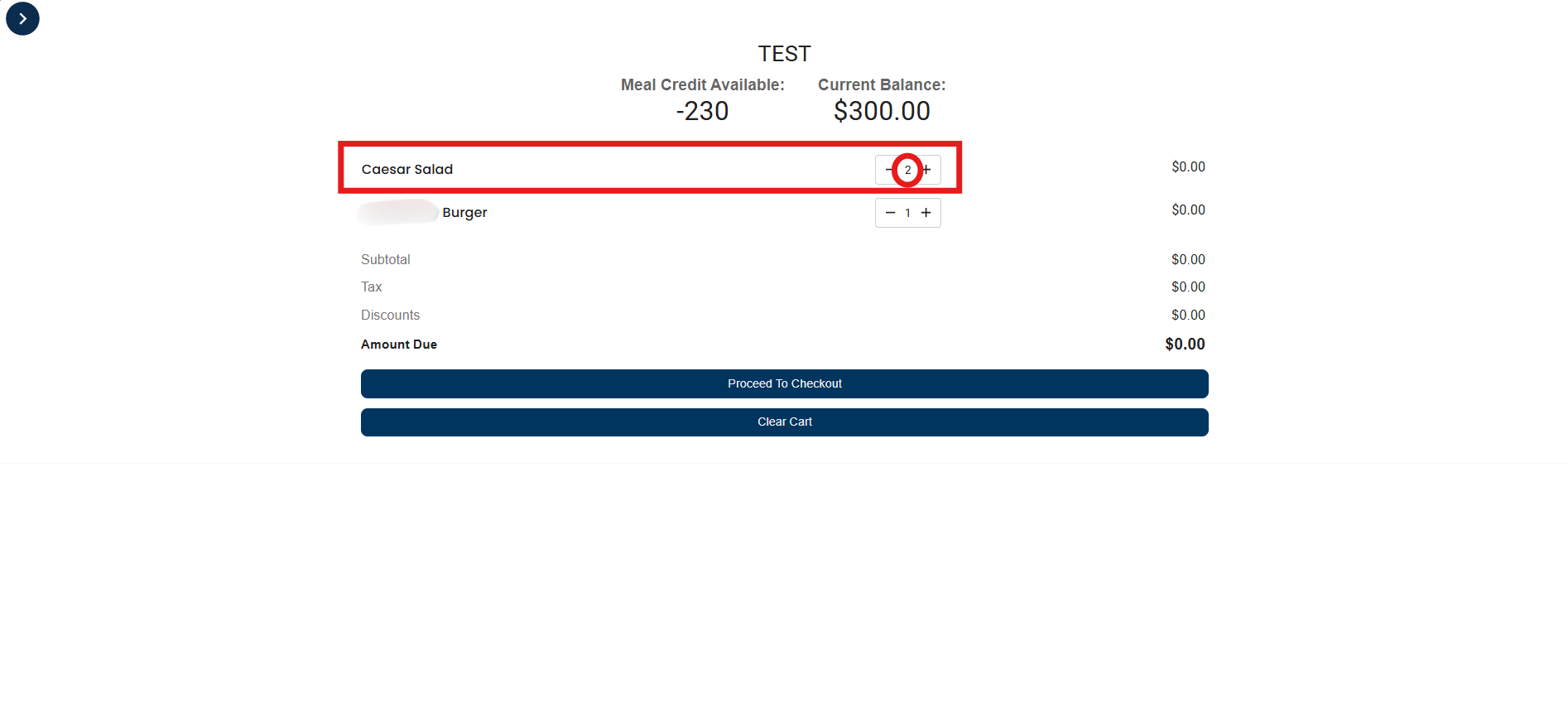
3. The updated quantity will be displayed accordingly.

Ready to Learn More?
See how our innovative dining solutions can help elevate the resident experience and improve operational efficiencies.