
SI 360 Point of Sale (POS)
This guide will show how to use the SI 360 platform when paying for Hospitality sites during dine in or take out.
Overview
SI 360 is a comprehensive Point of Sale (POS) solution designed to streamline the customer experience. It allows users to book seats, place orders, manage takeout, and process payments with ease. The system simplifies operations, making it ideal for efficient service in hospitality settings.
Managed by ServingIntel 360 Team
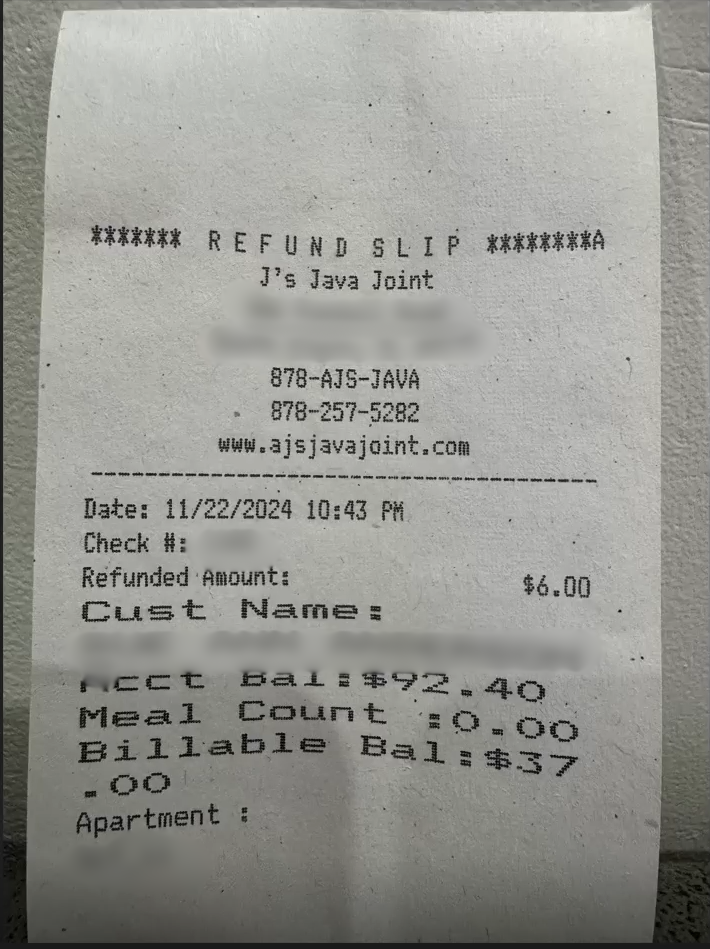
Sample Print Slip for Refund
Managed by ServingIntel 360 Team
Date Published: December 17, 2024
Date Updated: December 17, 2024
Version 7.24.120
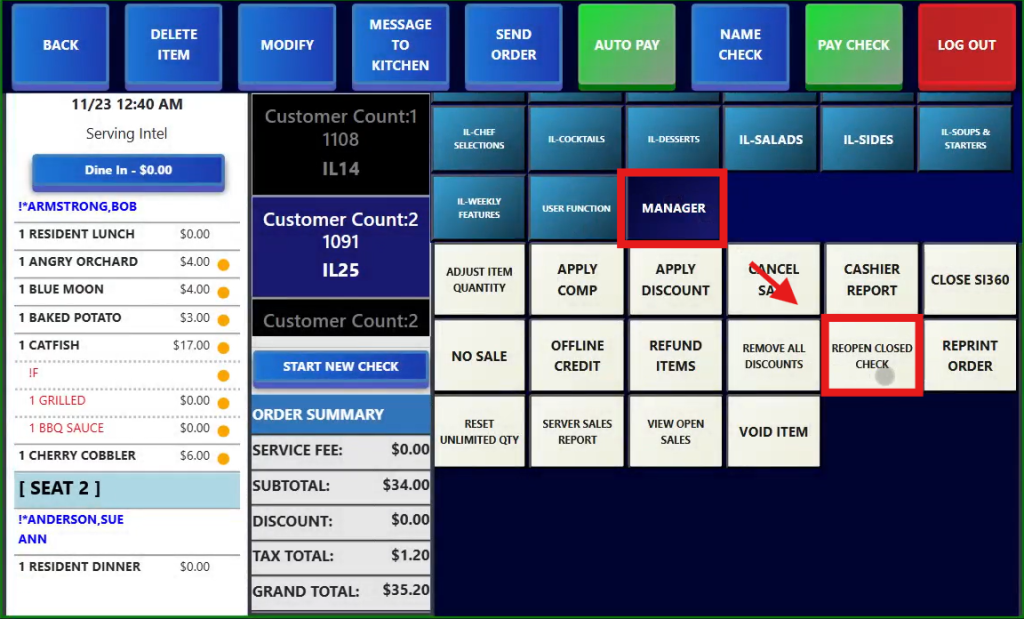
1. Click Manager then Reopen Closed Check.
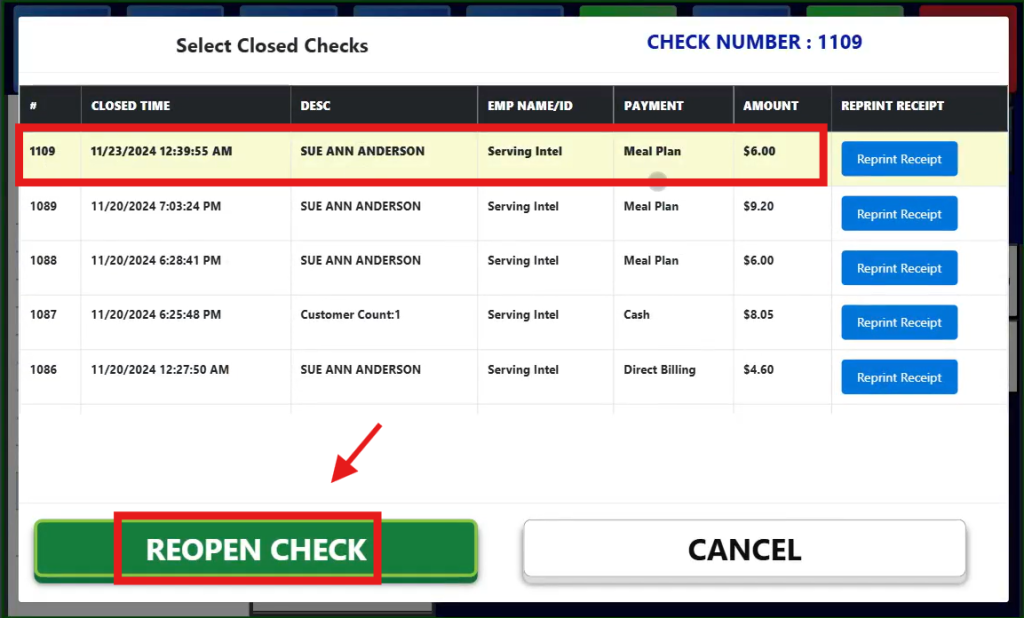
2. Select the Check # and amount that need to be reopened.
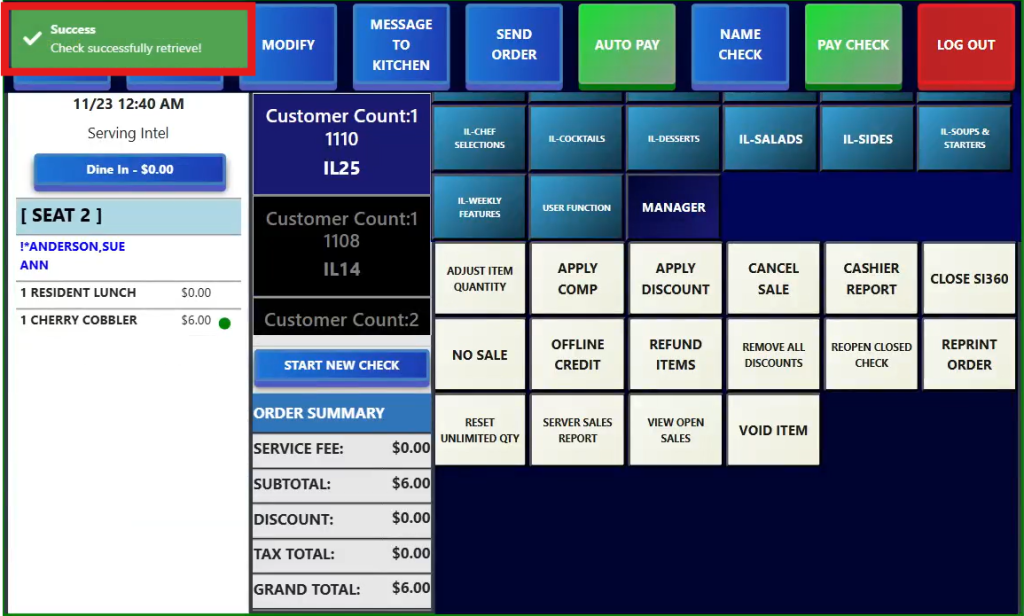
3. Once retrieved, a confirmation message will show.
4. This is then the sample refund slip.

Ready to Learn More?
See how our innovative dining solutions can help elevate the resident experience and improve operational efficiencies.